Published
Stand Out Arrow Parts: How to Find and Craft Arrows
Learn how to find Stand Out arrow parts using the metal detector and craft essential Stand arrows in this complete crafting guide for the Roblox game.
Explore Stand Out on Roblox with guides to its Stands, arrows, and combat. This fan-made wiki helps you find a place to start.
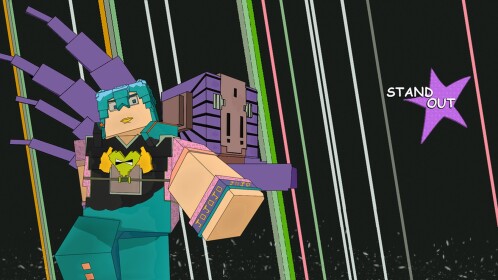
Watch the Stand Out video provided with the game materials.
Find guides and references by topic. Each section links to a published article or category.
Check the official game page for the next code announcement. It currently says the next code unlocks at 100K likes; code availability can change.
Compare Stands by what you need them for. A fixed PvP or PvE ranking would need current gameplay evidence, so none is claimed here yet.
A first-session checklist using controls published in the Roblox game description. Check the in-game tutorial for current rewards and steps.
Find the developer's game page, Trello board, and community Discord through the supplied links. Check each destination for current information.
Keep arrow sources and crafting details separate from rumors. Confirm the in-game method before spending an item.
A starting point for Stand names seen in the supplied game materials. Movesets, obtain methods, and rankings still need individual source checks.
Controls transcribed from the official Roblox game description; check in-game settings if they change.
Use the official game page and community announcements to check what's changed. This site does not claim an automatic or real-time patch feed.
Recent updates
Published
Learn how to find Stand Out arrow parts using the metal detector and craft essential Stand arrows in this complete crafting guide for the Roblox game.
Published
Learn how to obtain Stand Out arrows, dig up arrow parts, gather crafting resources, and forge mysterious arrows in this complete walkthrough.
Published
Learn how to obtain and farm the Stand Out mysterious arrow efficiently, unlock powerful abilities, and optimize your stand rolls in this guide.
Published
Check the recorded RELEASE reward, the expired PLAYTEST code, and the official Roblox announcement for the next Stand Out code.
Published
The Stand Out Roblox control list: running, dashing, attacks, blocking, camera lock, summoning, pilot mode and pose keys.
Published
Master early progression with this Stand Out beginner guide. Learn Stand rolls, stat scaling, boss strategies, and card duels to level up fast on Roblox.
Check the official game page for the next code announcement. It currently says the next code unlocks at 100K likes; code availability can change.
Compare Stands by what you need them for. A fixed PvP or PvE ranking would need current gameplay evidence, so none is claimed here yet.
Look for tested move descriptions, range, and counterplay before choosing a Stand.
Check whether a Stand suits the fights and activities you actually play.
A first-session checklist using controls published in the Roblox game description. Check the in-game tutorial for current rewards and steps.
Start from the official Roblox page linked above and follow the current in-game tutorial.
Run with Left Shift or W+W, dash with Q, and block with F.
The game description lists E to summon and Left Control for pilot mode.
Find the developer's game page, Trello board, and community Discord through the supplied links. Check each destination for current information.
Keep arrow sources and crafting details separate from rumors. Confirm the in-game method before spending an item.
Follow the current tutorial for the game's own explanation of Stands and arrows.
Use the game and developer references to verify any code, pickup, or crafting method before trying it.
A starting point for Stand names seen in the supplied game materials. Movesets, obtain methods, and rankings still need individual source checks.
Check its current abilities and obtain method in-game or in developer references.
Compare its current moves without treating launch-era tier labels as permanent.
Check the current game references for names, abilities, and availability.
Controls transcribed from the official Roblox game description; check in-game settings if they change.
| Input | Action |
|---|---|
| Left Shift / W+W | Run |
| Left Mouse / R | Light / heavy attack |
| F / Q | Block / dash |
| Left Alt | Camera lock |
| Left Control / E / P | Pilot mode / summon / pose |
Use the official game page and community announcements to check what's changed. This site does not claim an automatic or real-time patch feed.
Open the Roblox game page or find the game's Discord community.